
Guide · Brandon Warrell
Logo file types explained: AI, EPS, PDF, SVG, PNG and JPG
Use a vector file (AI, EPS, PDF or SVG) for anything that gets printed, cut or made large, because a vector logo is built from paths and stays sharp at any size. Use a PNG on screens, especially when you need a transparent background, and a JPG only when a solid background is fine. A complete logo package has both kinds, each in full-color, black and white versions.
What's the difference between a vector and a raster logo?
A raster file is a grid of tiny colored squares called pixels. JPG and PNG are raster formats. Stretch one past its pixel size and the edges turn soft or blocky. A vector file stores the logo as points, lines and curves, so it has no fixed resolution. The same vector logo works on a business card and a billboard.
Quick test: zoom in to 800% or more. If the edges stay clean, it's vector. If they blur or break into squares, it's raster. One catch: any vector file type, even an SVG or AI, can hold a raster image inside, so the file ending alone doesn't prove it's vector.
What is each logo file type for?
| Format | Type | Transparent background? | Who can open it | Best use |
|---|---|---|---|---|
| AI | Vector | Yes | Adobe Illustrator | The editable master file |
| EPS | Vector | Yes, but see-through effects get flattened | Illustrator; most print shops accept it | Older print and sign workflows |
| Usually vector | Yes | Anyone, with a free PDF reader | Printers, proofs and sharing | |
| SVG | Vector | Yes | Web browsers and design apps | Websites and apps |
| PNG | Raster | Yes | Almost every app and platform | Screens, social media, slides |
| JPG | Raster | No | Almost every app and platform | Photos, or a logo on a solid background |
A few details matter:
- AI is Illustrator's own format, the file a designer edits. Other apps can only open it if it was saved with PDF compatibility on, and then only as a PDF.
- EPS is an older format that print shops still use. Current Windows versions of Microsoft Office can't insert EPS files at all.
- PDF is the easiest file to email a printer, since anyone can open it. Make sure it was saved from a vector program. A PDF saved from Photoshop is usually a raster file.
- SVG is the vector format made for the web. All major browsers display it, and Microsoft 365 and Office 2019 or newer accept it too.
- PNG keeps every pixel (lossless) and supports transparency, so it's the everyday logo file for screens. It doesn't support CMYK, so for business cards, flyers and other press printing, send a vector PDF instead. Some printers, like many print-on-demand T-shirt shops, do ask for a large PNG.
- JPG uses lossy compression, which softens sharp edges and text, and it can't be transparent.
- PSD is Photoshop's layered file. Adobe counts it as a raster format, so it doesn't replace a vector master.
Can't open the AI or EPS files? That's common without Illustrator. Keep them anyway, and forward them when a printer, sign shop or developer asks.
Which logo file should I send to whom?
Ask the vendor first. If they don't say, start here:
- Printer (business cards, flyers, brochures): a vector PDF in CMYK, or with Pantone colors if your brand uses them. AI or EPS also works for most shops.
- Sign or wrap shop: a vector AI, EPS or PDF with all text converted to outlines. Vinyl cutters follow vector paths, so a PNG or JPG has to be traced into vector first, and a small or blurry file traces badly. A logo saved off a website will pixelate at vehicle size.
- Web developer: an SVG, a transparent PNG as a backup, a square icon for the browser tab, and your HEX color codes.
- Social media: a PNG or JPG in RGB. Use the icon or stacked version for profile pictures. Facebook, for example, crops Page profile pictures to a circle and recommends a 320 × 320 pixel upload.
- Embroidery shop: a vector file, or a large, clean PNG if they ask for one. The shop "digitizes" it into a stitch file the machine reads. Standard embroidery uses solid thread colors, so gradients and tiny details may need a simpler version. Printful, for example, asks for lettering at least 0.25 in tall.
- Screen printer (T-shirts, merch): vector art with spot colors. Each ink color prints through its own screen, so a one- or two-color version of your logo keeps the job simple.
- Word or PowerPoint: a transparent PNG, or an SVG in Microsoft 365 or Office 2019 and newer.
- Email signature: a small PNG.
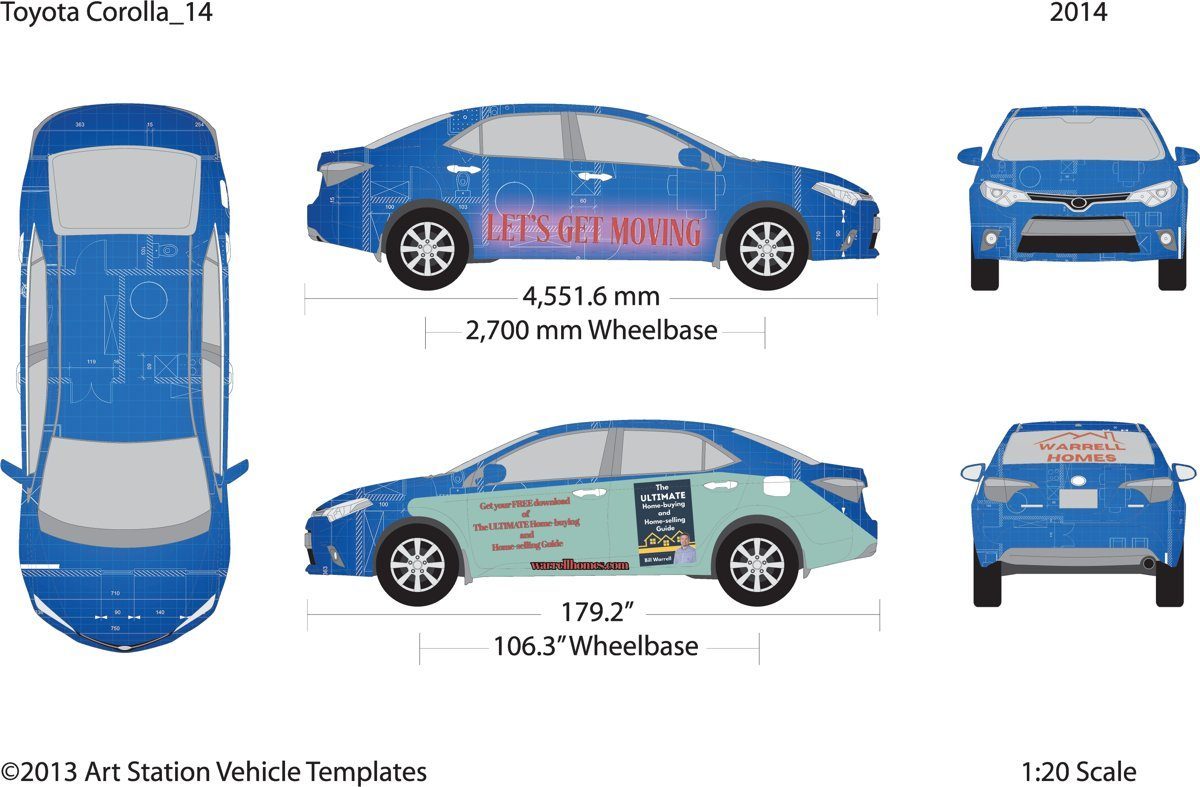
On a wrap, the logo has to land on the real panels and windows of one specific vehicle. The vehicle wrap logo guide covers that in detail, and the Warrell Homes wrap project shows the full layout.
What about CMYK, RGB and Pantone colors?
Screens mix red, green and blue light (RGB). Printers lay down cyan, magenta, yellow and black ink (CMYK). Your logo needs both:
- RGB for websites, social media, slides and anything else on a screen. Web developers write these colors as HEX codes, like #C8006B.
- CMYK for most printed pieces, like business cards and flyers. Ask first, because some printers, like many print-on-demand T-shirt shops, want RGB files. When a printer wants CMYK, convert and check the colors before you send the file, so you see any color shift on screen instead of on the finished print.
- Pantone (spot) colors are premixed inks. Each one has its own number, so printers anywhere can match the exact shade. Many brands set a Pantone color for their logo, and some Pantone colors can't be matched with the four CMYK inks at all.
How do I get a transparent background?
A transparent background means the area around the logo is empty, so it sits on any color without a white box behind it. PNG, SVG, PDF and AI can do this. JPG can't. To get one, ask your designer for a transparent PNG, and don't re-save it as a JPG. That fills the empty area with a solid color.
Two things trip people up. A transparent file can look white or black in some previews. That's the viewer, not the file, so test it on a colored slide. And a white (reversed) logo looks blank on a white screen. It's there, made for dark backgrounds.
What should a complete logo package include?
A good package covers every version you'll need, in every file type:
- Full-color logo, your main version.
- One-color black, for forms, stamps, engraving and one-ink printing.
- White (reversed), for dark backgrounds and photos.
- Horizontal and stacked layouts, so the logo fits a wide banner or a square space.
- Icon or mark on its own, for profile pictures, browser tabs and small spaces.
- A usage note with your HEX, RGB, CMYK and Pantone values, the font names, and how much clear space to leave around the logo.
- Each version as vector files (AI, EPS, PDF, SVG) and raster files (PNG, JPG), sorted into print (CMYK) and web (RGB) folders.
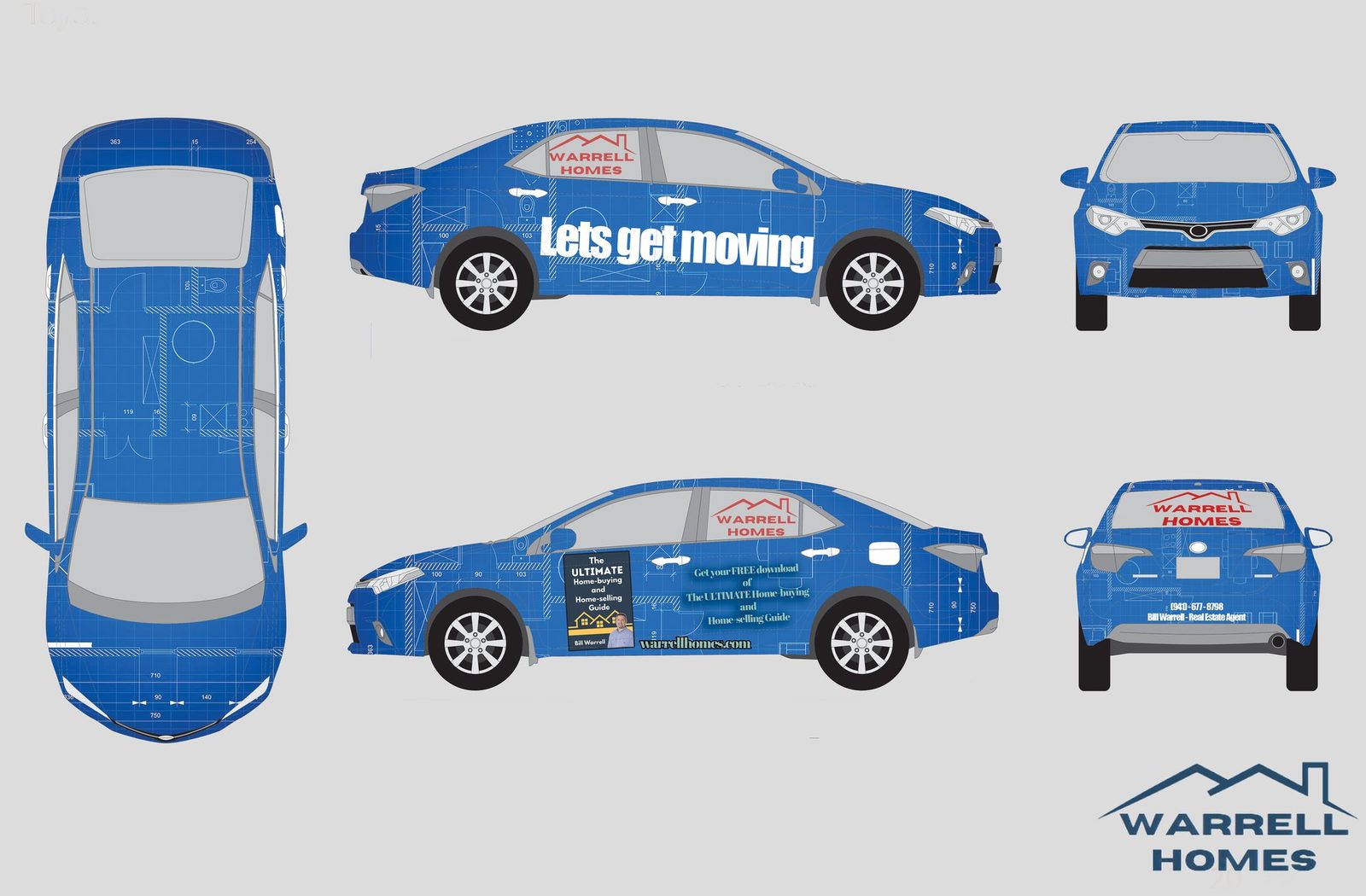
In this draft of my Warrell Homes wrap, the same logo runs in red on the windows and in navy on its own. You can see what my logo files include on the FAQ page.
How big should a PNG or JPG logo be?
For print, plan on about 300 pixels per inch at the printed size. A logo printed 2 inches wide needs a file about 600 pixels wide. Some printers ask for less, so check their specs. On screens, only the pixel size matters. If your file falls short, it's low-res for that job.
What if I only have a low-res JPG?
Don't just upscale it. A bigger pixel file is still a pixel file. A sign shop still has to trace it before it can be cut, and soft edges get worse as the logo gets bigger. Do this instead:
- Look for the original. Ask the designer, printer or sign shop who last used your logo. Search your email for files ending in .ai, .eps, .pdf or .svg, then zoom in to make sure it's really vector.
- Have it rebuilt as vector. A designer redraws the logo in a vector program like Illustrator, using the old file as a guide. Illustrator's Image Trace tool can convert simple raster art to vector, but check every curve and letter in the result.
- Export the full package from the new vector master.
For more plain answers like this, see the design guides.
Need a hand?
I design logos and deliver them as vector files (AI, EPS, SVG and PDF) plus PNG and JPG files, in full-color, black and white versions. Need another version, like a stacked layout or an icon? Ask when you request a quote. If your logo only exists as a blurry JPG, I can redraw it as a clean vector file.
Logos start at $200, and every job gets a fixed quote up front. The first draft takes 2–4 business days, and rush is possible. Three rounds of revisions are included. Extra rounds are billed hourly, and I'll tell you before any charge. I'm based in Palmetto, FL, and work remotely with clients anywhere.
15-minute calls run Mon–Fri, 9am–6pm ET. Questions first? Call or text (941) 718-7482.