
Guide · Brandon Warrell
Standard poster and flyer sizes, with bleed and pixel dimensions
The most common US flyer sizes are letter (8.5 × 11 in) and half-letter (5.5 × 8.5 in), and quarter-sheet handbills (4.25 × 5.5 in) are common too. Common poster sizes include 11 × 17, 18 × 24, 24 × 36 and the 27 × 40 in movie one-sheet. For print, add 0.125 in of bleed on every side, so an 11 × 17 poster file is 11.25 × 17.25 in, or 3,375 × 5,175 px at 300 ppi.
What are the standard poster and flyer sizes?
The chart lists each size at trim (the finished size after cutting), with bleed added, and in pixels at 300 ppi (pixels per inch, which many print shops call dpi). Bleed is extra background art that runs past the trim line, so the cutter never leaves a thin white edge. All sizes are written width × height, in portrait.
| Size | Trim (in) | With 0.125 in bleed (in) | 300 ppi at trim (px) | 300 ppi with bleed (px) |
|---|---|---|---|---|
| Quarter-sheet flyer | 4.25 × 5.5 | 4.5 × 5.75 | 1,275 × 1,650 | 1,350 × 1,725 |
| Half-letter flyer | 5.5 × 8.5 | 5.75 × 8.75 | 1,650 × 2,550 | 1,725 × 2,625 |
| Letter flyer (ANSI A) | 8.5 × 11 | 8.75 × 11.25 | 2,550 × 3,300 | 2,625 × 3,375 |
| Tabloid (ANSI B) | 11 × 17 | 11.25 × 17.25 | 3,300 × 5,100 | 3,375 × 5,175 |
| Small poster (Arch B) | 12 × 18 | 12.25 × 18.25 | 3,600 × 5,400 | 3,675 × 5,475 |
| Frame-size poster | 16 × 20 | 16.25 × 20.25 | 4,800 × 6,000 | 4,875 × 6,075 |
| Medium poster (Arch C) | 18 × 24 | 18.25 × 24.25 | 5,400 × 7,200 | 5,475 × 7,275 |
| Large poster (Arch D) | 24 × 36 | 24.25 × 36.25 | 7,200 × 10,800 | 7,275 × 10,875 |
| Movie one-sheet | 27 × 40 | 27.25 × 40.25 | 8,100 × 12,000 | 8,175 × 12,075 |
| Extra-large poster (Arch E) | 36 × 48 | 36.25 × 48.25 | 10,800 × 14,400 | 10,875 × 14,475 |
The math is simple: inches × ppi = pixels. Bleed adds 0.25 in to each dimension (0.125 in per side), which is 75 px at 300 ppi.
Some online printers sell 28 × 40 instead of 27 × 40, so check the exact size before you buy a frame. Most countries outside North America use A sizes instead: A3 is 11.7 × 16.5 in, A2 is 16.5 × 23.4 in and A1 is 23.4 × 33.1 in.
How do I set up an 11 × 17 file with bleed?
- Illustrator or InDesign: make a new 11 × 17 in document and type 0.125 in into the Bleed fields. Run background art out to the red bleed line.
- Photoshop: make the canvas 11.25 × 17.25 in at 300 ppi (3,375 × 5,175 px). Add guides 0.125 in from each edge for the trim and 0.375 in for a 0.25 in safe area.
- Canva: turn on Show print bleed before you design, so background art runs into the bleed, and download as PDF Print. Ask the shop whether it wants the Crop marks and bleed box checked.
- Export: in the Illustrator or InDesign PDF dialog, turn on Use Document Bleed Settings. Add crop marks only if the shop asks for them.
The Turntable Takeover poster below is a standard 11 × 17 in, set up in CMYK and packaged for print. There's more about it on the poster design page.

Can one design scale to another size?
Sizes with the same shape scale without cropping. Half-letter and tabloid are both 11:17, so a half-letter flyer scales up to an 11 × 17 poster as is. Quarter-sheet and letter share a shape too. 12 × 18 and 24 × 36 are both 2:3, the shape of a 4 × 6 photo. 18 × 24 and 36 × 48 are 3:4, so art made for 24 × 36 needs a new layout to fit them, not just scaling. After you scale, reset the bleed and safe margin, since they grow with the art.
Do big posters really need 300 ppi?
Not always. 300 ppi at full size is the usual target for pieces people read up close, like flyers and 11 × 17 posters. Big posters are seen from farther back, so many large-format printers say about 150 ppi at final size is enough. Some still ask for 200 to 300 ppi on posters people stand close to. File size is part of the reason: a 24 × 36 at 300 ppi with bleed is about 79 megapixels.
Here are the large sizes at 150 ppi. The bleed figures are rounded up to whole pixels.
| Size | 150 ppi at trim (px) | 150 ppi with bleed (px) |
|---|---|---|
| 18 × 24 | 2,700 × 3,600 | 2,738 × 3,638 |
| 24 × 36 | 3,600 × 5,400 | 3,638 × 5,438 |
| 27 × 40 | 4,050 × 6,000 | 4,088 × 6,038 |
| 36 × 48 | 5,400 × 7,200 | 5,438 × 7,238 |
Treat 150 ppi as a floor. Vistaprint's chart, for example, asks for 240 ppi at 18 × 24 and 200 ppi at 24 × 36, so check your printer's minimum.
Two cautions:
- Measure ppi at the final printed size. A 12 MP phone photo (4,032 × 3,024 px) stretched to fill a 24 × 36 in poster prints at only about 112 ppi.
- Keep type and logos as vectors. Vector art from Illustrator or InDesign stays sharp at any size, whatever the resolution of the photos.
How much safe margin should I leave?
Keep text, logos and QR codes inside a safe margin, measured in from the trim line. Printer specs vary. Many online printers ask for 0.125 to 0.25 in, some flyer templates allow less, and one university poster service asks for a full inch. A 0.25 in margin is the safer habit. On a letter flyer, that leaves an 8 × 10.5 in safe area. If the poster goes in a frame, leave about 0.5 in, since the frame's lip covers the edges.
So every print file has three lines to think about:
- Bleed: background art runs 0.125 in past the trim.
- Trim: where the paper gets cut.
- Safe area: text and key art stay at least 0.25 in inside the trim.
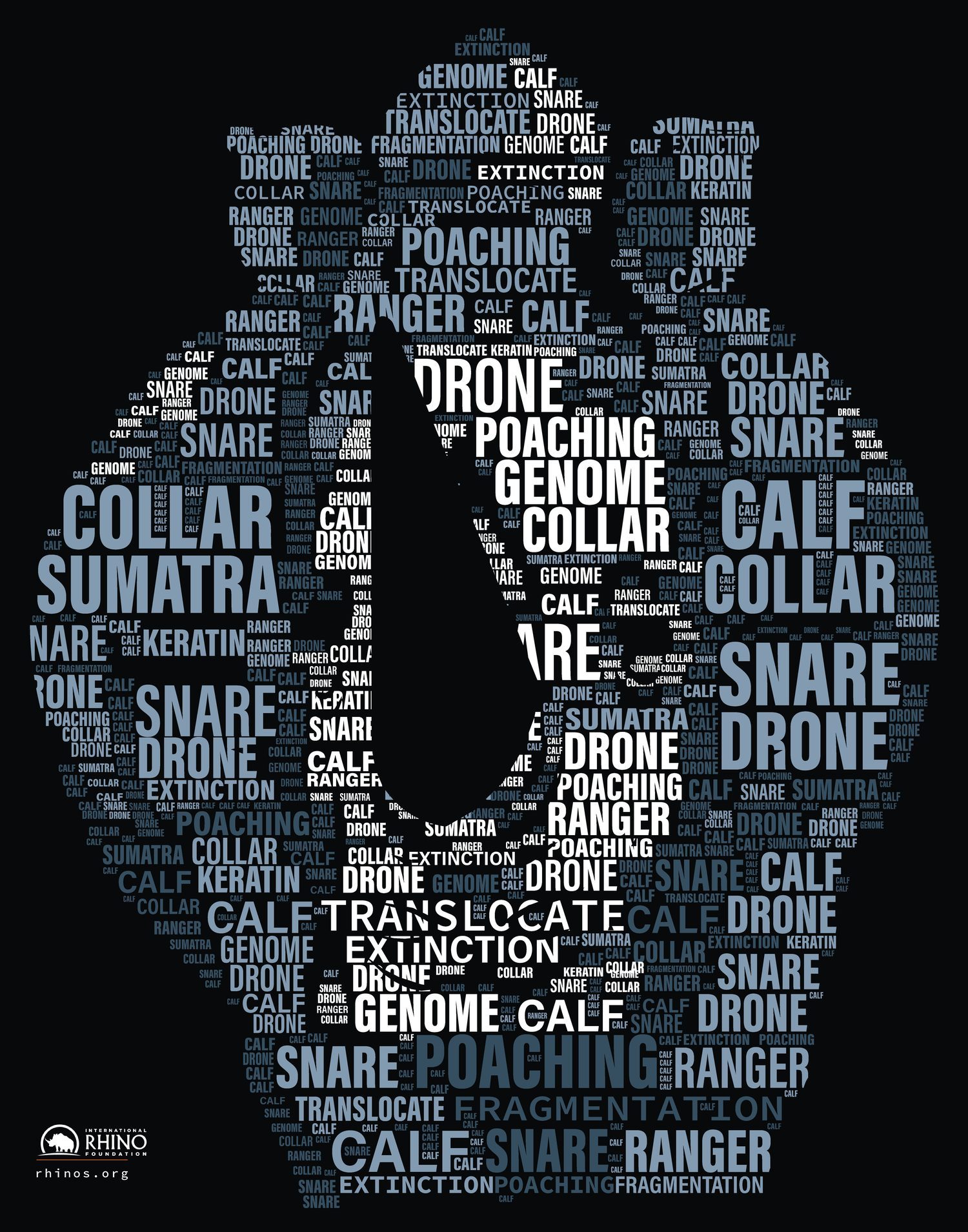
Not every poster has to match the chart. The rhino poster below, a class project, is 11 × 14 in, a common frame size. It was turned in as a print PDF with 0.125 in bleed.
Which size should I pick?
Start with where the poster will hang and how far away people will stand. A common sign rule of thumb says each inch of letter height reads from about 10 feet away in bold, high-contrast type. So a 1 in bold headline reads from about 10 feet, and a 3 in headline from about 30 feet. Script fonts, serifs or low contrast cut that distance by about a quarter or more. Size the headline for the distance first, then pick a sheet that fits it with room around it.
| Size | Good fit for |
|---|---|
| 4.25 × 5.5 | Handbills you pass out by hand |
| 5.5 × 8.5 | Handouts, counter stacks, inserts |
| 8.5 × 11 | Bulletin boards and notices read at arm's length |
| 11 × 17 | Shop windows, cafe and library boards, event posters |
| 12 × 18 | The same spots as 11 × 17, with a little more room |
| 16 × 20 | Standard frames, retail displays |
| 18 × 24 | Store windows, lobbies, hallways |
| 24 × 36 | Walls seen from across a room |
| 27 × 40 | Movie and theater poster cases and frames made for that size |
| 36 × 48 | Large walls, lobbies, trade-show displays |
Measure the wall, window or frame before you decide. A poster that's too big for its spot gets folded, trimmed or skipped.
Portrait or landscape?
Most posters are portrait, taller than wide. That shape fits doors, windows, poles and bulletin boards, and the movie one-sheet is portrait too. Landscape works for wide spaces, like a wall above a counter, and for designs built around a wide photo.
Printers usually list the short side first, so an order for 11 × 17 doesn't say which way is up. Write "portrait" or "landscape" on the order, and set up the file the same way.
Which paper should I choose?
In plain terms:
- Gloss makes photos and color look richer, but it can glare under lights and shows fingerprints.
- Matte has little glare and stays readable from any angle. Colors look a bit softer.
- Text weight is thinner, flexible paper. It's fine for most posters you tape or pin up for a while. For a piece that stays on a board for weeks, cover weight holds up better.
- Cover weight is stiffer card. It suits pieces people handle, prop up or leave out for weeks.
The numbers trip people up. 100 lb text and 100 lb cover are not the same paper. Text and cover are weighed on different base sheet sizes, so 100 lb text is about 148 gsm and 0.005 in thick, while 100 lb cover is about 270 gsm and 0.010 in thick. Compare gsm, or ask the shop for a sample. Past about 24 × 36, a thin text sheet tends to wave and curl, so ask about a heavier stock or mounting on board for big pieces.
Why ask the print shop for its template first?
Every shop sets up files a little differently. MOO's US flyer template uses about 0.08 in of bleed per side, not 0.125 in. Before you design anything, ask the shop for:
- The exact trim size and orientation
- Bleed and safe margin
- Minimum resolution at final size
- Color mode and profile (often CMYK)
- File type (often PDF) and whether to add crop marks
If the shop has a downloadable template, start from it. If you're hiring a designer, put the shop's specs in your design brief so the file is right the first time.
Need a hand?
I design posters and flyers and set up the print file to your shop's template, with the right size, bleed and safe margins. Every job gets a fixed quote up front, and a flyer or poster starts at $75. The first draft takes 2–4 business days, rush is possible, and 3 rounds of revisions are included. I'm based in Palmetto and work with clients anywhere.
Start a project or book a 15-minute call. For quick answers, see the FAQ, or browse more design guides.