
Article · Brandon Warrell
Can I use images from Google on my flyer?
Usually not. Google Images is a search engine, not a license. It shows you pictures from other websites, and almost every one of them belongs to someone. A photo is protected by copyright from the moment it is made, whether or not it has a © mark. To put one on a flyer for your business, you need a photo you made, a photo you have the rights to, or a license that covers that use.
This is general information, not legal advice. For questions about your own situation, the U.S. Copyright Office is the place to start.
Why can't I just use a photo I found online?
The U.S. Copyright Office's Copyright Basics circular says copyright exists automatically once a work is "fixed in a tangible medium." Nobody has to register it, and a copyright notice hasn't been required since March 1, 1989. So a missing © tells you nothing.
What does the Usage rights filter in Google Images actually tell you?
Google Images has a filter called Usage rights. It has two options: Creative Commons licenses and Commercial or other licenses.
It narrows the search but doesn't clear an image for you. Google's help page on finding images you can use says Creative Commons images are "usually available at no charge to use, but require credit," and that some licenses limit how you can use them. It also tells you to "always confirm an image's license information." So open the page the image came from and read the license there before you use it.
Which photos are safe to use on a business flyer?
From safest to most work:
- Your own photos. If you took it, you generally own the copyright. My 3D Printing Raster Type piece (SCF coursework) is a raster text effect built over my own photo of a 3D printer. No license needed.
- A photo you hold the rights to. Owning a print or a file is not the same as owning the copyright. Copyright Basics says owning a copy doesn't make you the copyright owner. If you hired a freelance photographer, the photos generally stay theirs unless the rights were transferred in writing, so check your agreement.
- Licensed stock. You pay for a license and follow its terms. My Turntable Takeover flyer, for a fictional DJ night (SCF coursework), uses a stock photo of a DJ's hands on the decks, and the credit says so: "DJ photo: stock image."
- Free-license libraries. Sites like Unsplash and Pexels let you use photos for commercial projects without asking. Read their terms anyway. Pexels, for example, says not to imply that people or brands in a photo endorse your product.
- Creative Commons and public domain. Wikimedia Commons is the big one. Most come with conditions, covered below.
A license for the photo doesn't cover everything in it. Creative Commons licenses don't license trademark rights, or the publicity and privacy rights of people in the photo. Wikimedia Commons notes that commercial use of images of people may need the subject's agreement. Logos are a good example. My rhino and Habitat posters (SCF coursework) carry logos that belong to the International Rhino Foundation and Habitat for Humanity. They're labeled as a class project, not commissioned by either organization.
What do Creative Commons licenses require?
Every Creative Commons license is built from four elements:
| Element | What it means |
|---|---|
| BY | Credit the creator. Every CC license includes this. |
| SA (ShareAlike) | If you adapt the work, share your version under the same terms. |
| NC (NonCommercial) | Only noncommercial use is allowed. |
| ND (NoDerivatives) | You can't share an adapted version. |
For a business flyer, NC is the one to watch. Creative Commons defines noncommercial as "not primarily intended for or directed towards commercial advantage or monetary compensation." A flyer that promotes your business is made for commercial advantage, so an NC license doesn't cover it. Using an NC work commercially needs permission from whoever holds the rights.
SA matters when you adapt the photo and share the result. If you transform it, for example by cutting it out and compositing it into new artwork, you must share that version under the same license or a compatible one. Even a simple crop should be noted in the credit. Putting an unchanged photo inside a larger work, like a book, doesn't put the whole book under that license.
ND means you can share the photo as it is, but not an edited version.
How do you credit a Wikimedia Commons photo?
Creative Commons recommends a simple pattern called TASL in its attribution guide:
- Title: the name of the work
- Author: the person who made it
- Source: where people can find it, usually a link
- License: the license name, linked to its terms
If you changed the photo, add a note such as "Cropped from original" or "adapted from."
On Commons, the file page lists the author, source and license. Wikimedia Commons points out that the person to credit is the creator, not necessarily whoever uploaded it.
My site says outside photos and templates are credited. On my SCF coursework, they are:
- A stock DJ photo in Turntable Takeover
- A free-license library background in my Family Photo restoration
- An Art Station vehicle template under my Corolla wrap layout
- Licensed line art on my eBook cover
- Course-supplied photos for Dandelion Lion, Mobile Lounge Neon and Florist
Each one says what kind of outside material it is, and some name where it came from. None of them gives the full TASL credit.
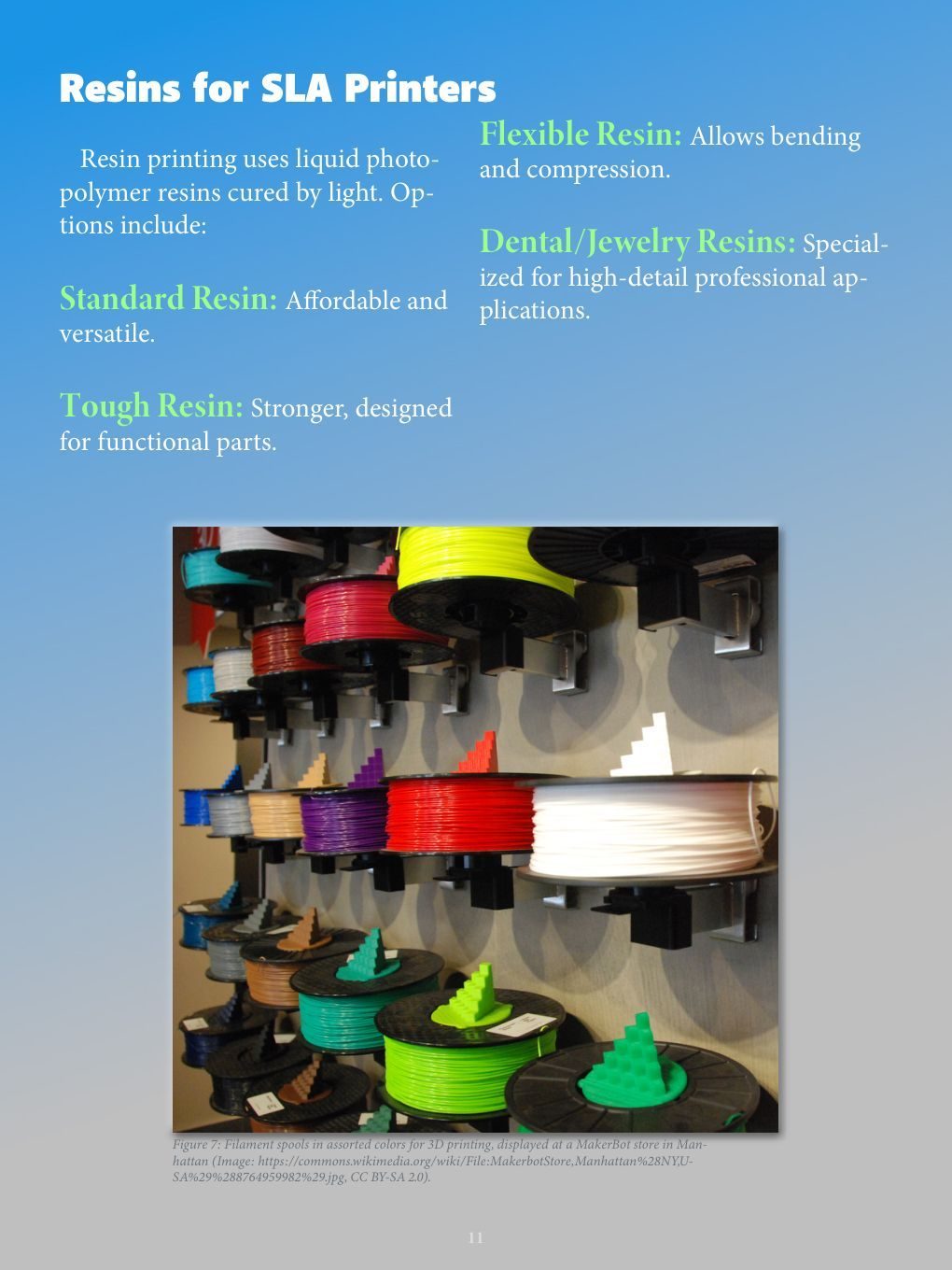
My eBook, The World of 3D Printing (SCF coursework), credits its Wikimedia Commons photos in each figure caption. The page 11 caption gives the Commons file link and the license, CC BY-SA 2.0, but no author. The page 3 caption names Wikimedia Commons and gives the file link, but no license and no author credit. A full credit would add the photographer's name to page 11 and the author and license to page 3.
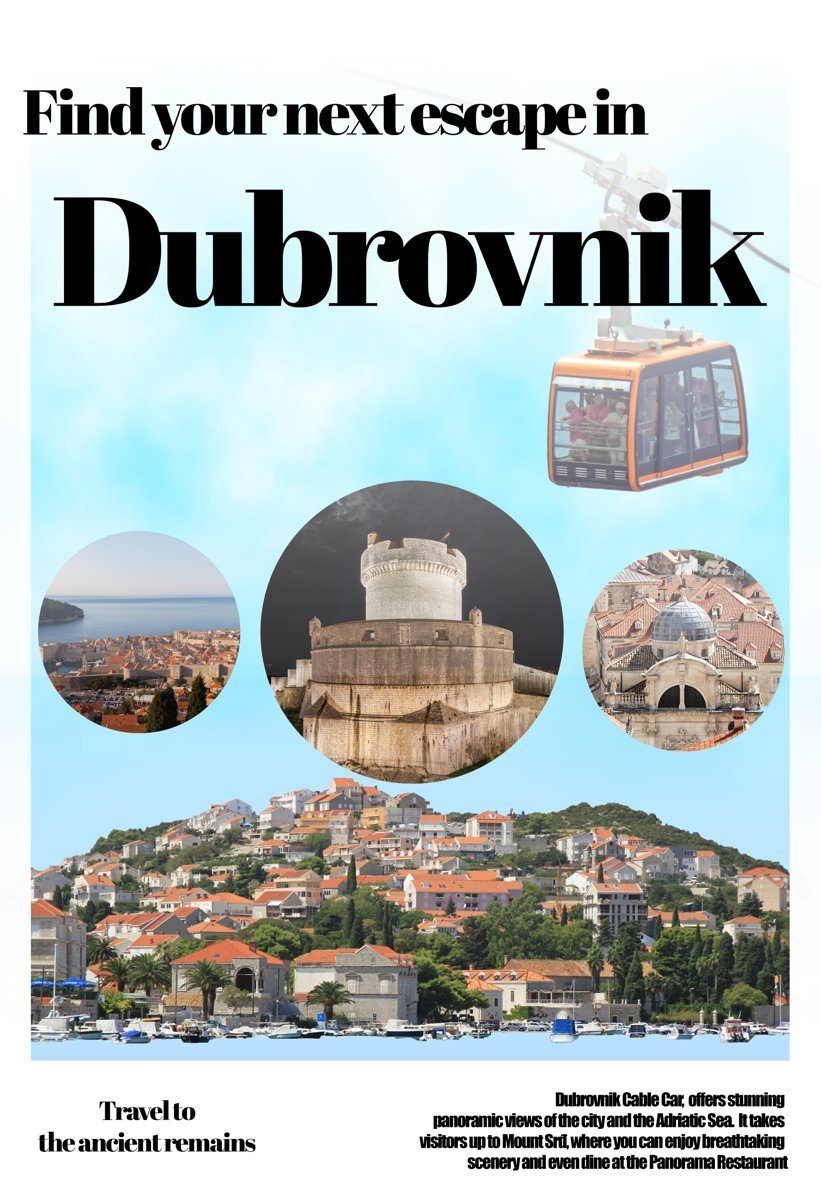
My Dubrovnik travel poster (SCF coursework) uses Wikimedia Commons photos in circular frames. Its gallery credit reads "photos: Wikimedia Commons," and the poster itself has no printed credit line. Done fully, each photo would get its title, author and license.
Where does the credit go on a flyer, an eBook or a web page?
No rule names one exact spot. The CC BY-SA 2.0 license asks for a credit "reasonable to the medium or means" you're using. Some practical options:
- Flyer or poster: a small credit line along the bottom or side edge. In print, Creative Commons suggests writing out the links in full. If space is tight, a short line can point to a web page that lists the full credits.
- eBook or booklet: a caption under each image, or a credits page at the back. See eBook layout for the eBook these captions come from.
- Web page: a caption or a line near the image, with the source and license linked.
Public domain photos generally don't require a credit, though Wikimedia Commons recommends one so the source stays clear.
What should you send your designer?
Send the photos you want used, at full size, and tell your designer where each one came from. My design brief guide asks for full-size originals you have the right to use, not screenshots or images saved from social media.
For each outside photo, include:
- The link to the page where you found it
- The license name, or your stock receipt or license
- The photographer's name, if it's listed
- Whether anyone in the photo agreed to be in an ad, if people appear in it
If a photo came from a Google search and you can't find its license, leave it out and ask for alternatives.
If you're planning a flyer or poster, see poster design for what's included, and the FAQ for starting prices and how to get a quote.