
Article · Brandon Warrell
Illustrator vs Photoshop vs InDesign: which app is right for which job?
Use Illustrator for vector artwork that has to stay sharp at any size, like logos, posters and packaging. Use Photoshop for pixels: photo editing, compositing and digital painting. Use InDesign when the job is pages of text, like a book, a guide or a menu. Many real projects use two of them, and the examples below come from my own coursework, so you can see which app each piece was built in.
What is the difference between Illustrator, Photoshop and InDesign?
The short version is shapes, pixels and pages.
| Illustrator | Photoshop | InDesign | |
|---|---|---|---|
| Works mainly with | Vector shapes and type | Pixels | Pages, text frames and placed images |
| Best for | Logos, posters, flyers, packaging | Photo editing, compositing, digital painting | Books, eBooks, guides, menus |
| Scaling | Stays sharp at any size | Depends on the pixel size of the file | Text and vector parts stay sharp; placed photos depend on their resolution |
Adobe presents Illustrator as its vector app for logos and brand graphics, and vector artwork can be scaled up or down without blurring. Photoshop is Adobe's image editing app, built to combine, edit and blend images. InDesign is Adobe's professional page layout app for print and digital publishing.
One thing to clear up: Photoshop isn't pixels only. Its type layers are vector-based outlines, and the Shape tools make shape layers. A Photoshop document is still mainly pixels, though, and once you rasterize a type or shape layer it becomes pixels too.
Illustrator is my main tool, with Photoshop and InDesign alongside it. Here is how that splits out across my work.
When should you use Illustrator?
Use Illustrator when the artwork is built from shapes and type and has to print cleanly at a set size, or at many sizes.
- Turntable Takeover: the brief was a 4-color process event flyer laid out in Illustrator. The 11 × 17 in poster is CMYK (U.S. Web Coated SWOP v2) and packaged for print. It's a fictional DJ night, and the DJ photo is a stock image. The same artwork became a 160 × 600 px animated banner in After Effects (Photoshop is also in the project's tool list), but the print layout lived in Illustrator. (SCF Communication Design, Spring 2025)
- Words That Take Shape: two type-as-image posters, 11 × 14 in and 11 × 17 in, exported as print PDFs with 0.125 in bleed. The logos belong to the International Rhino Foundation and Habitat for Humanity; this was a class project, not commissioned by either organization. (SCF Typography, Fall 2025 & Fall 2026)
- Sour Apple Gum: a flat wrapper layout with front and back panels. I printed it, cut it out and folded it into a working prototype. (SCF Graphic Design Basics, Fall 2024)
- Southern Sizzle: a full-page ad for an invented fried chicken brand. (SCF Communication Design, Spring 2025)
- BW Monogram: a brush-script B paired with a ribbon-stroke W, in two colors. (SCF Typography, Fall 2025)
- Vector Cottage: a house drawn from a reference photo, built from flat shapes and pen-tool paths. (SCF Intro to Computer Graphics, Fall 2024)

If you're asking "Illustrator or InDesign for a flyer?", a one-page flyer or poster with a few blocks of text fits Illustrator well. Move to InDesign when the text runs across many pages. For more on print pieces, see poster design and packaging design.
For a logo, Illustrator is the usual answer, because the file has to work on a business card and on a truck. Ask for the logo as a vector file; the logo file types guide covers which ones.
When should you use Photoshop?
Use Photoshop when the piece starts with a photo, blends several images, or is painted. These are my Photoshop pieces:
- Warrell Homes car wrap: a full wrap on a 1:20 scale Toyota Corolla template, for the real-estate business my dad ran. I also designed the Warrell Homes logo for it. I built it in Photoshop because it was a project for my Photoshop course. A wrap shop will still want the logo as a vector file with the fonts converted to outlines; the vehicle wrap logo guide explains why. Vehicle template: Art Station Vehicle Templates (Toyota Corolla, ©2013). (SCF Photoshop, Spring 2025) I design wrap layouts and prepare the print files; I'm not a wrap shop or installer (vehicle wrap design).
- Family Photo, in Color: a colorization and composite printed at 13 × 19 in. The library background is a free-license photo. (SCF Photoshop, Spring 2025)
- 3D Printing Raster Type: a raster text effect built over my own photography. (SCF Photoshop, Spring 2025)
- Florida Waters: a 16:9 digital painting of snook, tarpon and sheepshead. (SCF Digital Illustration I, Summer 2025)
- Dubrovnik Travel Poster: circular photo frames and a cable car. Photos: Wikimedia Commons. (SCF Communication Design, Spring 2025)
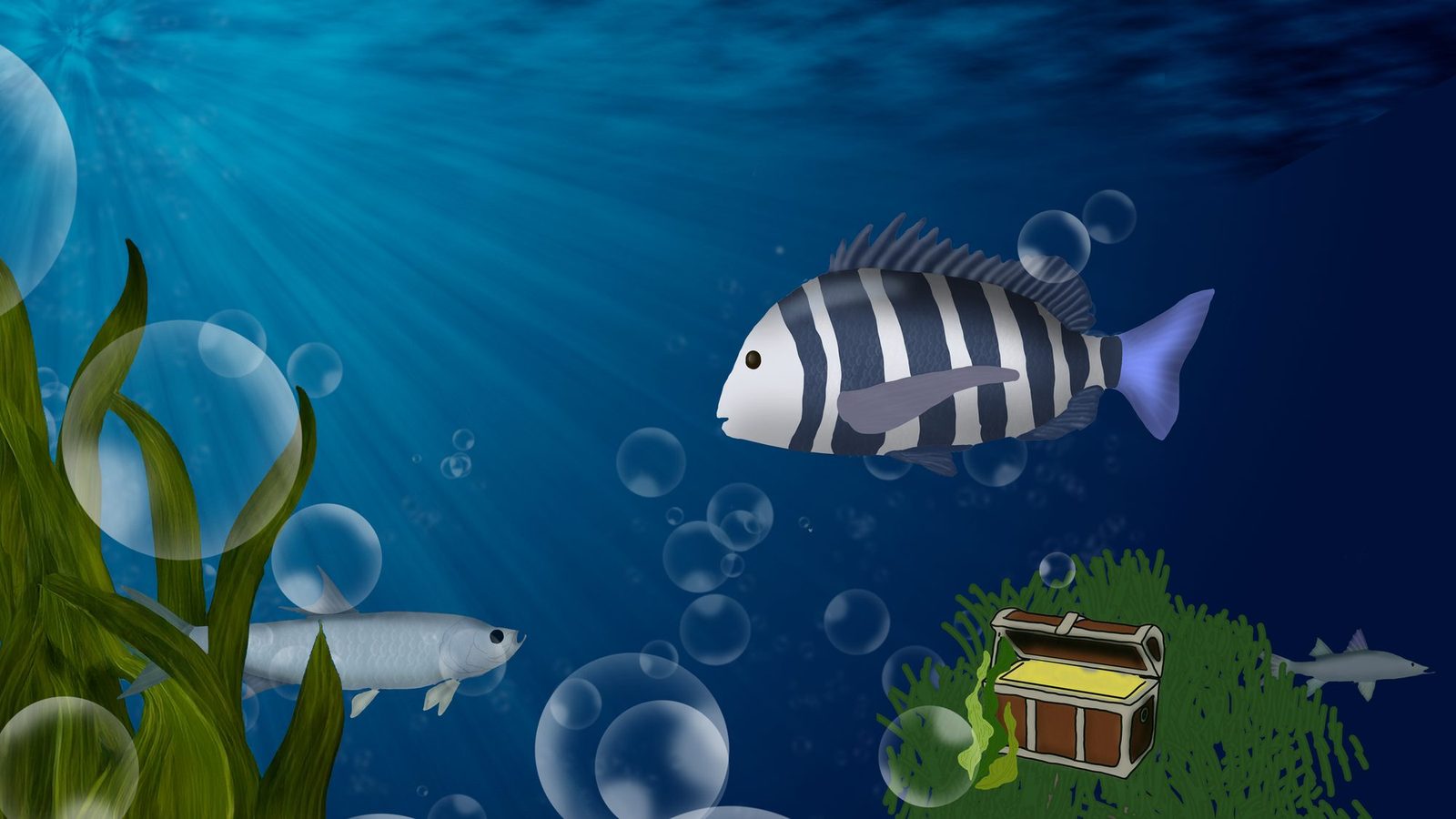
So the difference between Illustrator and Photoshop comes down to what the piece is made of. Shapes and type that must scale go in Illustrator. Photos, textures and painted light go in Photoshop.
When should you use InDesign?
Use InDesign when you have many pages, long text, and repeated parts like page numbers, headers and chapter openers. Its parent pages (called master pages before InDesign 2022) hold those repeated parts so you set them once.
My example is The World of 3D Printing, a 19-page, 12-chapter eBook I wrote and laid out in InDesign, then exported to PDF and EPUB. My instructor called it a particularly good example of text hierarchy and size contrast. The cover was built separately in Photoshop around a licensed line-art printer illustration, and the interior photos are from Wikimedia Commons, credited in each figure caption. (SCF Typography, Fall 2025)
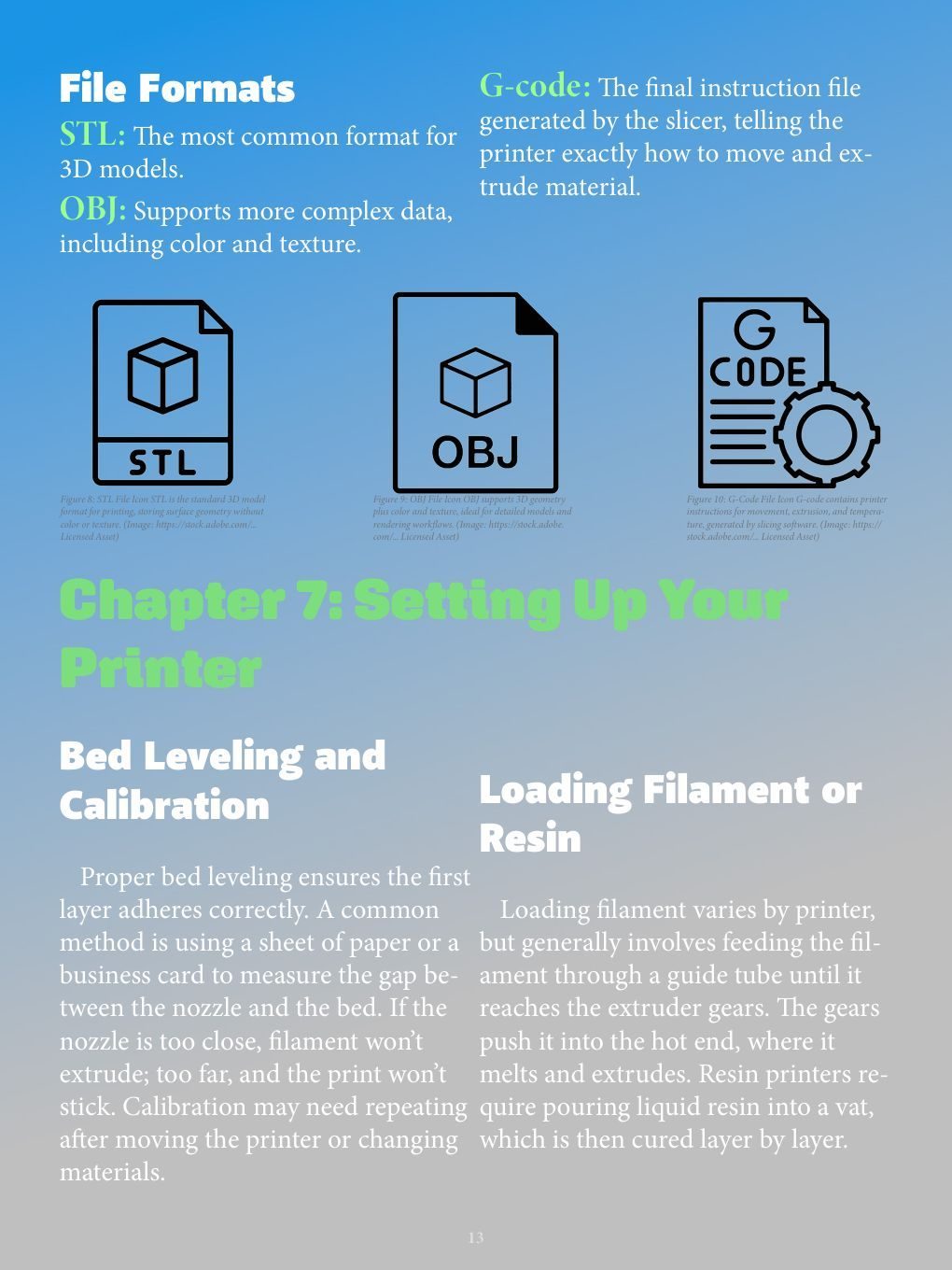
InDesign exports EPUB two ways from File > Export: Reflowable, for text that adapts to different devices, and Fixed Layout, for a precise design. Adobe's EPUB export help covers the options. For the layout side, see eBook layout.
What about projects that need two or three apps?
Plenty of work moves between apps. Each part gets made where it's easiest, then comes together in one file.
- Echoes of Tomorrow: a 4000 × 4000 px square cover for streaming sites, for Crystal Grid, a band invented for the brief. Photoshop handled the skyline, sky gradient and title; Blender rendered the wireframe pyramid, glowing form and wave grid; the layers were composited in one 4000 px square. (SCF Typography, Fall 2025) More covers at album cover design.
- Drop Cap "P": an illustrated letterform made in Illustrator and Photoshop, a vector + raster revision. (SCF Typography, Fall 2025)
A common pattern is to edit photos in Photoshop, build the logo and icons in Illustrator, and place both into InDesign for a multi-page piece.
Which file should you ask for from each app?
Keep it simple:
- Print pieces: a print-ready PDF in CMYK with bleed, set up to your printer's specs. For commercial printing, Adobe suggests a PDF/X preset; which PDF/X version varies, so ask your printer.
- Logos: vector files (AI, EPS, SVG and PDF), plus PNG and JPG for everyday use. The logo file types guide explains each one.
- Editable source files: the native AI, PSD or INDD file. If you need them, ask when you request a quote.
Which app should a beginner learn first?
This is my opinion from my own path, not a rule. In SCF Intro to Computer Graphics (Fall 2024) I used both: Illustrator for Vector Cottage and Photoshop for a compositing lesson. Illustrator is now my main tool. If you want to make logos, posters or anything built from type and shapes, start with Illustrator. If you mostly work with photos, start with Photoshop. Pick up InDesign when your first multi-page job shows up, since it makes more sense once you have pages to fill.
If you have a piece in mind and aren't sure which app it needs, send me the details. See graphic design services for what I make, or the FAQ for file types and starting prices.